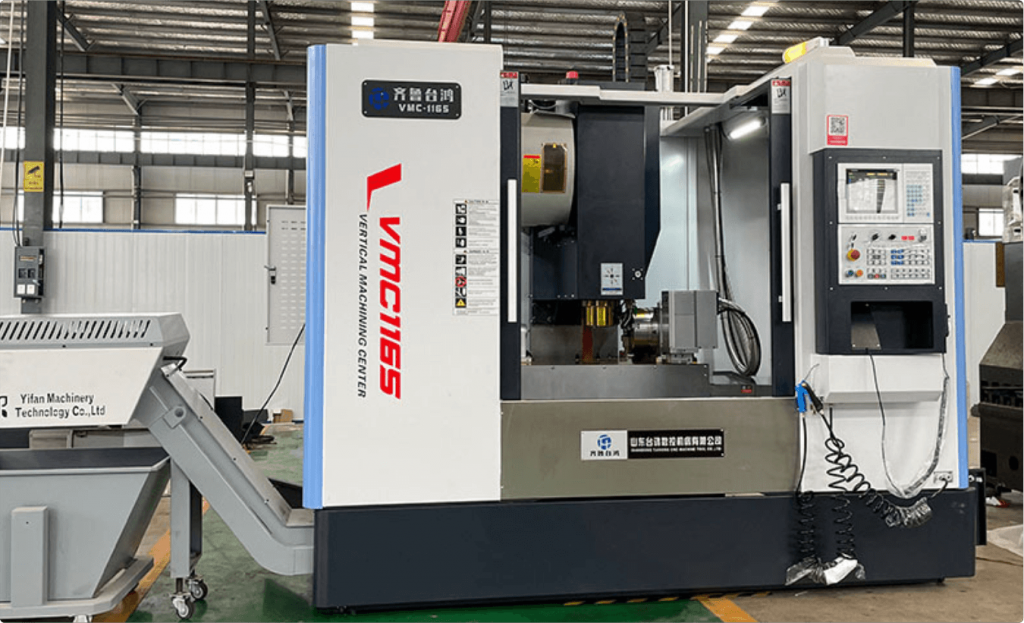
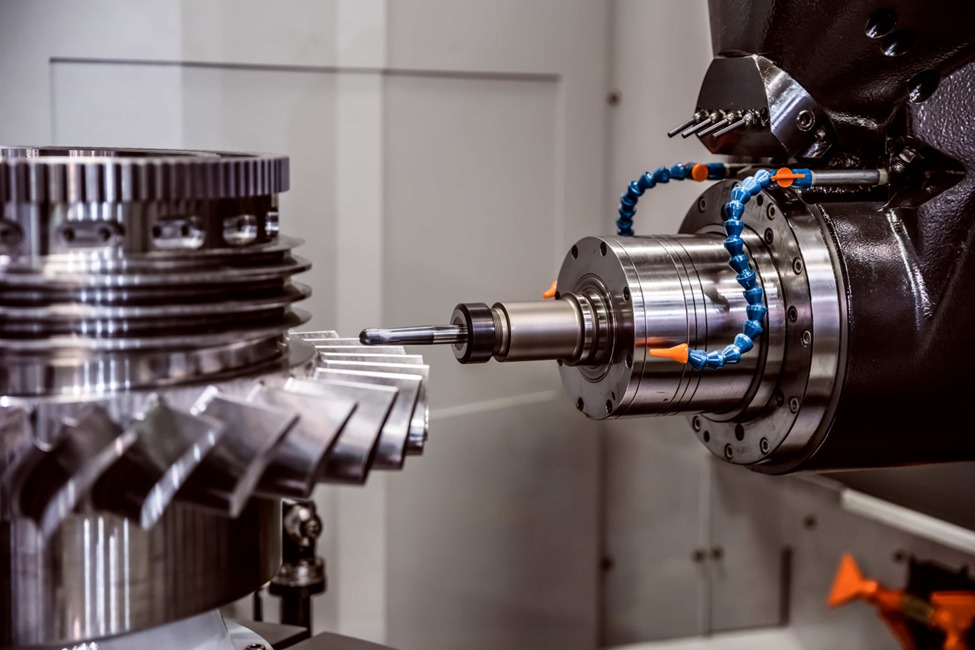
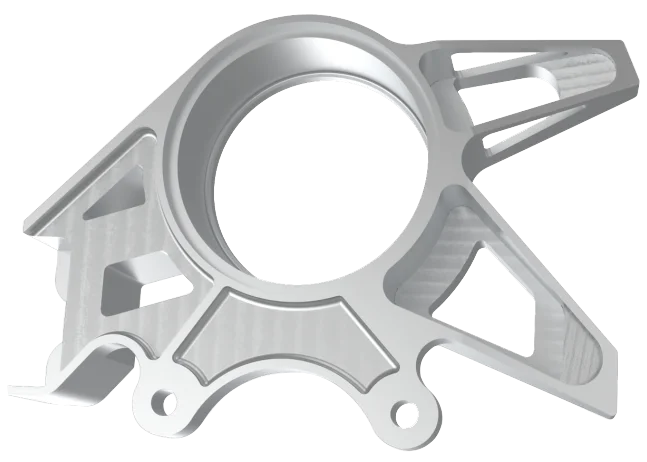
You send a drawing to a CNC factory. A few days later, a finished metal part arrives. Every cut is in the right place. Every dimension is correct.
What made that happen?
G code and M code. These are the two types of instructions that run every CNC machine. G code controls how the tool moves. M code controls everything else, like the spindle, the coolant, and the tool changer.
This guide explains both, with real examples, in plain English.
What Is G Code?
G code is the programming language used to control CNC machines. It defines tool movement, feed rate, and cutting path.
Think of a CNC machine like a worker who follows written instructions. It does not guess. It does not improvise. It reads each line of instructions and does exactly what it says.
G code is those instructions.
Every time a CNC machine moves a cutting tool, it is following a G code command. G code tells the machine three things: where to move, how fast to move, and what kind of movement to make.
The letter G comes from the word “geometric.” That makes sense. G code is all about geometry: position, direction, distance, and speed.
What the Letters Mean
Each letter in a G code line has a specific meaning.
G: The type of motion or operation, such as rapid move, straight cut, or arc.
X: Position on the X axis.
Y: Position on the Y axis.
Z: Position on the Z axis.
F: Feed rate, how fast the tool moves during cutting.
S: Spindle speed in RPM.
T: Tool number, selects which tool to use.
M: Machine function, such as spindle on/off, coolant, or tool change.
A Simple Example
Here is one line of G code:
G01 X50 Y20 Z-5 F200
This is not as complicated as it looks. Each part has a simple meaning:
Code
What it means
G01
Move in a straight line while cutting
X50
Go to the 50mm position on the X axis
Y20
Go to the 20mm position on the Y axis
Z-5
Go 5mm below the surface of the part
F200
Move at a speed of 200mm per minute
Common G Codes
You do not need to memorize every G code. But these are the ones that show up in almost every CNC program:
Movement codes:
Code
What it does
Example
G00
Rapid move, no cutting, maximum speed
G00 X0 Y0 Z50
G01
Straight line cut at set feed rate
G01 X100 F300
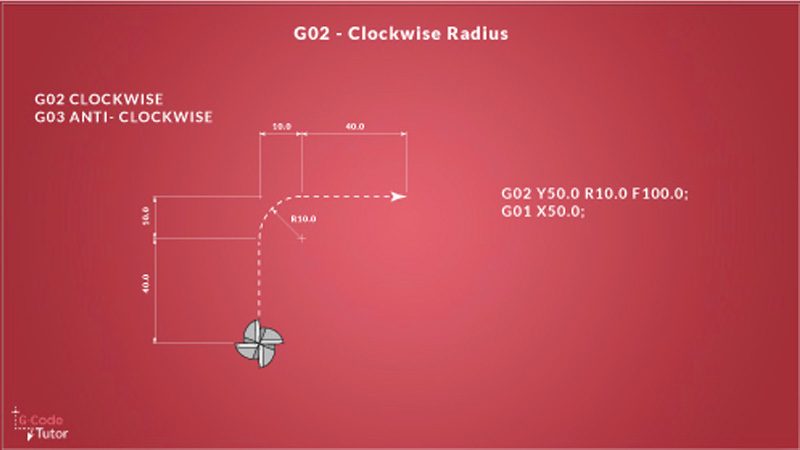
G02
Circular arc, clockwise
G02 X50 Y50 R20 F200
G03
Circular arc, counterclockwise
G03 X50 Y50 R20 F200
G04
Pause for a set amount of time
G04 P500
Coordinate and position codes:
Code
What it does
G20
Use inch units
G21
Use millimeter units
G28
Return to machine home position
G90
Absolute positioning (coordinates are fixed from origin)
G91
Incremental positioning (coordinates are measured from current position)
G54 to G59
Work coordinate systems, used to set part origin
Tool compensation codes:
Code
What it does
G40
Cancel cutter radius compensation
G41
Cutter compensation, offset to the left
G42
Cutter compensation, offset to the right
G43
Apply tool length offset
G49
Cancel tool length offset
Canned cycles (for drilling and tapping):
Code
What it does
G40
Cancel cutter radius compensation
G41
Cutter compensation, offset to the left
G42
Cutter compensation, offset to the right
G43
Apply tool length offset
G49
Cancel tool length offset
What Is M Code?
M code controls the machine functions that support the cutting process, such as spindle rotation, coolant flow, tool changes, and program stops.
G code moves the tool. M code handles everything else.
None of these involve moving the tool along a path, but all of them are needed to complete a real machining job.
Common M Codes
These are the M codes you will see in almost every CNC program:
That sequence runs on every job, in roughly that order. The spindle starts first, then coolant, then cutting, then coolant off, spindle off, program done.
G Code vs M Code, Difference and Uses
G code tells the tool where to go. But it cannot make the spindle spin. M code can start the spindle. But it cannot move the tool along a cutting path.
A machine running only G code would move a tool through air with no spindle turning. A machine running only M code would spin a spindle and spray coolant with no movement at all. Neither produces a finished part.
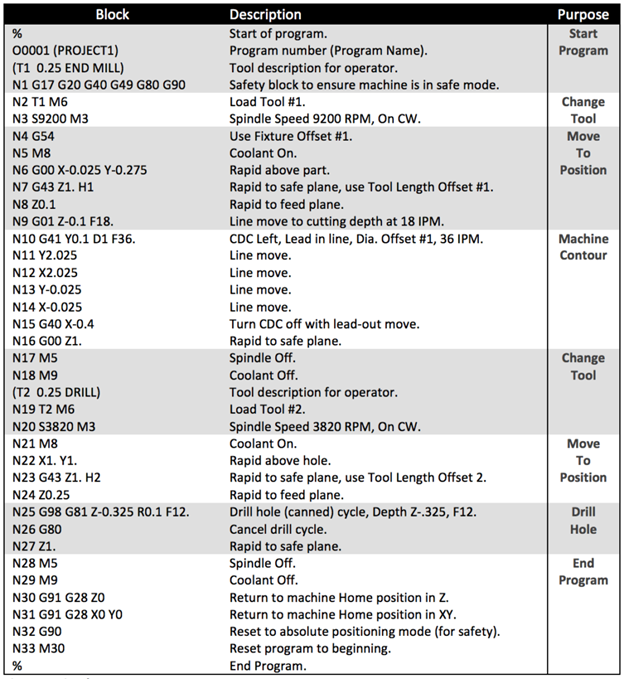
In a real program, you need both. G code and M code sit in the same file and run in sequence, line by line.
A Practical Example
Here is a short sequence that shows how they take turns:
S2000 M03 (M code: start spindle at 2000 RPM) G00 X0 Y0 (G code: rapid move to start position) M08 (M code: coolant on) G01 Z-5 F150 (G code: feed down into the part) G01 X60 F300 (G code: cut along X axis) G00 Z50 (G code: retract tool) M09 (M code: coolant off) M05 (M code: spindle stop)
Conclusion
G code moves the tool. M code controls the machine. Together they run every CNC job from start to finish.
You do not need to memorize every code. But understanding how they work makes it easier to read a program, catch errors, and communicate with the shop floor.
If you have a CNC project that needs precise programming and reliable results, get in touch with our team at Aria Manufacturing.
Gavin Leo is a content editor at Aria Manufacturing with hands-on experience in CNC machining, Injection molding, materials selection, and part design. Outside of work, he enjoys hiking and collecting mechanical watches.
Custom Quality Parts By Aria
Send your specs. We’ll get back with a quote in 12 hours.
Gavin Leo is a content editor at Aria Manufacturing with hands-on experience in CNC machining, Injection molding, materials selection, and part design. Outside of work, he enjoys hiking and collecting mechanical watches.


 EU
EU